Field service management platform
Turn every service request into a controlled operation.
Actireq connects customer requests, dispatch, field technicians, assets, evidence and maintenance in one operational platform.
Built for teams operating across customer sites.


What works today
- Offline-ready field app
- French, Arabic, English · true RTL
- Customer portal
- Web push
- Asset-centric history
- Multi-tenant · role-based access
The problem
Field operations break when the work is spread across five tools.
A call, a WhatsApp message, a spreadsheet, a paper form, an email: every hand-off from one tool to the next costs time and loses information.
- Customer requests get lost between the call and the schedule.
- Schedules change without the context.
- Evidence stays on phones.
- Reports arrive late.
- Asset history leaves with the people.
- Customers call to ask where their request stands.
- Calls
- Excel
- Paper
- Technician phones
One operational source of truth
- 01Request
- 02Dispatch
- 03Schedule
- 04Field
- 05Evidence
- 06Report
The full cycle
From the first request to the signed report. One chain, nothing typed twice.
- 01Request
Every request comes in through one door.
Recorded by your team or submitted by the customer from their own space, the request is qualified: site, asset, priority, category.
New → Triaged
Back office 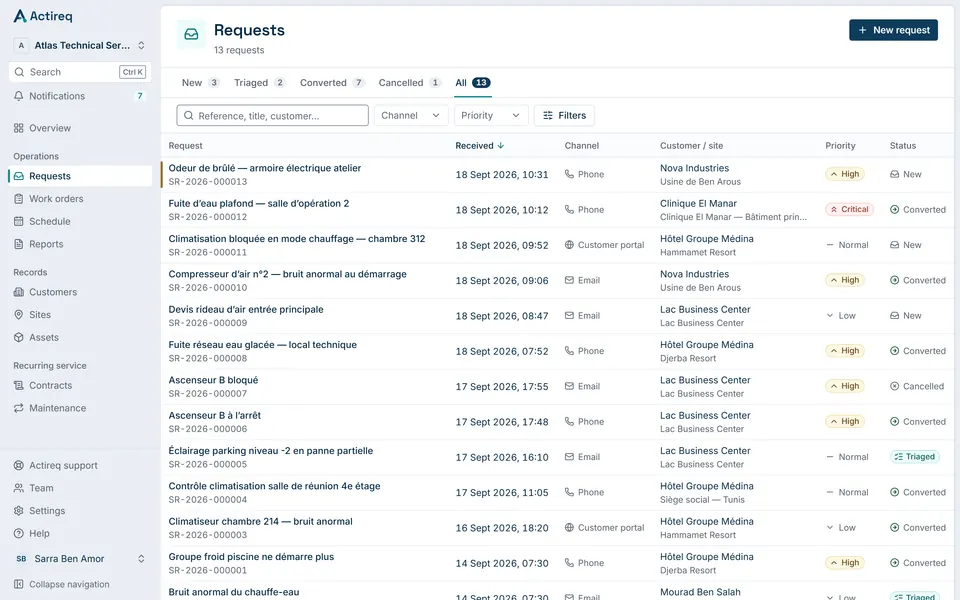
- 02Dispatch
The request becomes a work order.
One conversion, one work order: checklist, required skills, estimated duration and service level carry over without retyping.
Triaged → Ready to schedule
Back office 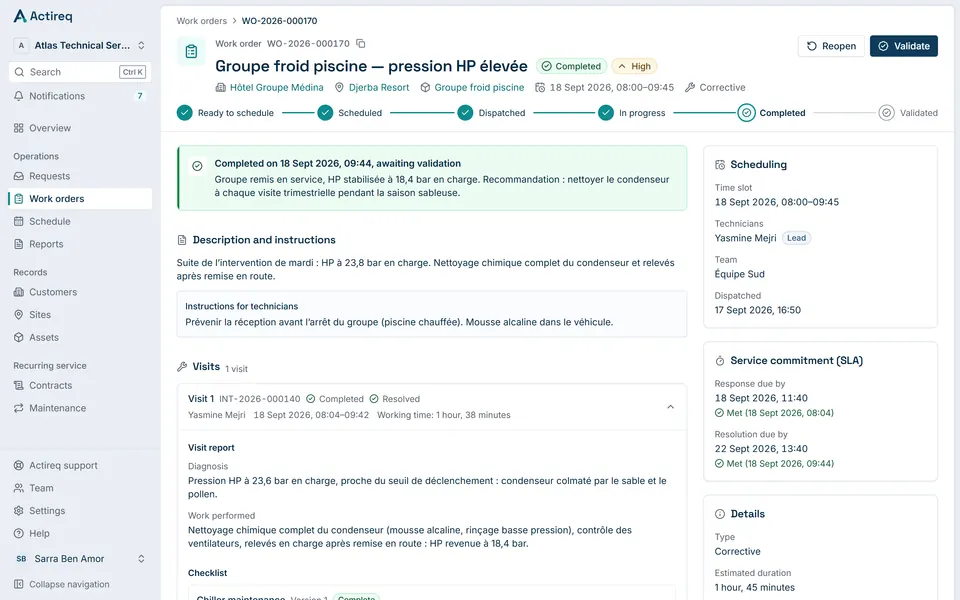
- 03Schedule
The work finds its place on the board.
The dispatcher places the job on a technician’s lane. Absences, working hours, skills and overlaps are checked before it is confirmed.
Ready → Scheduled → Dispatched
Schedule 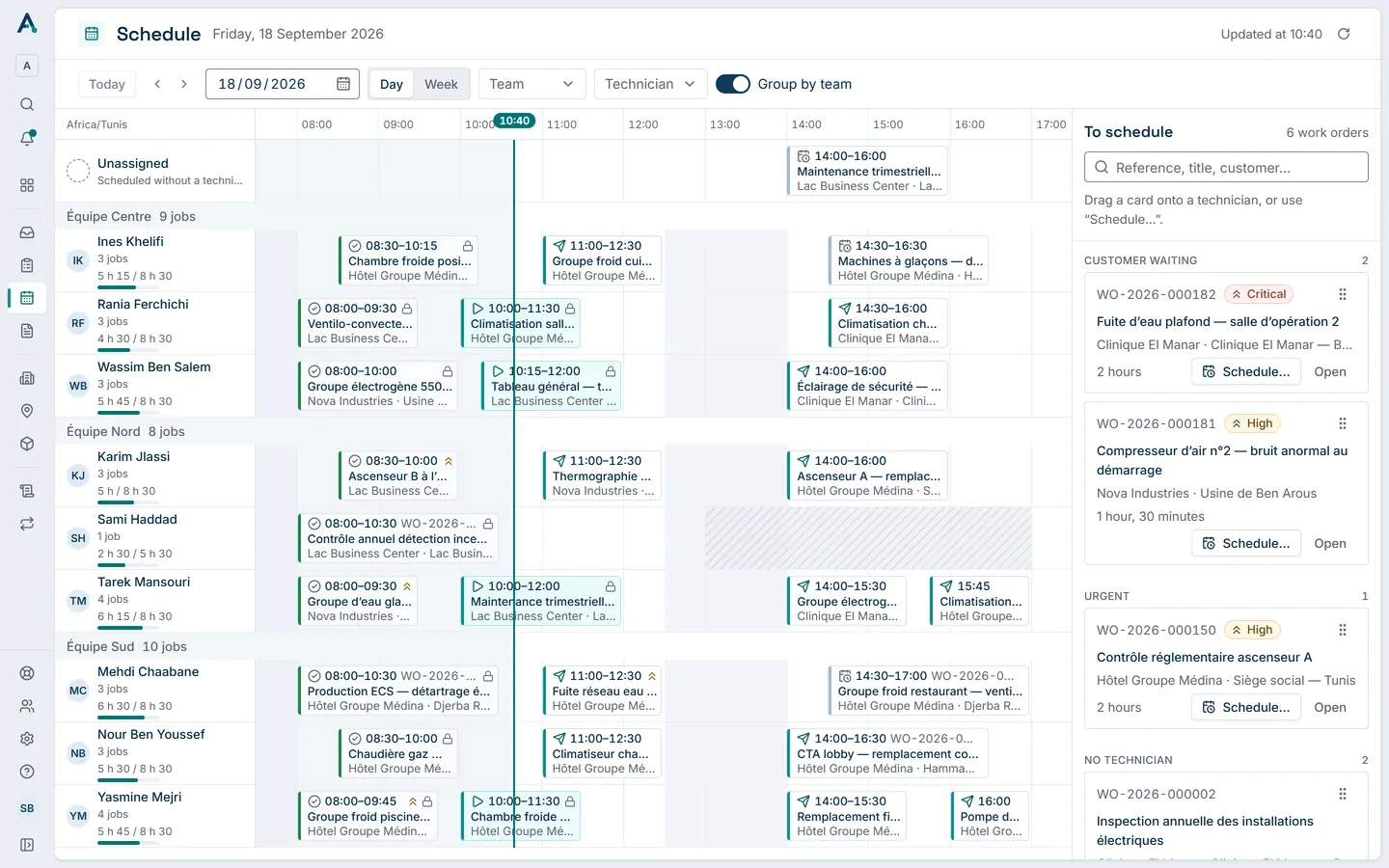
- 04Field
The technician leaves with the full context.
Address, access instructions, contact, asset history: everything is on the phone, offline included.
Dispatched → In progress
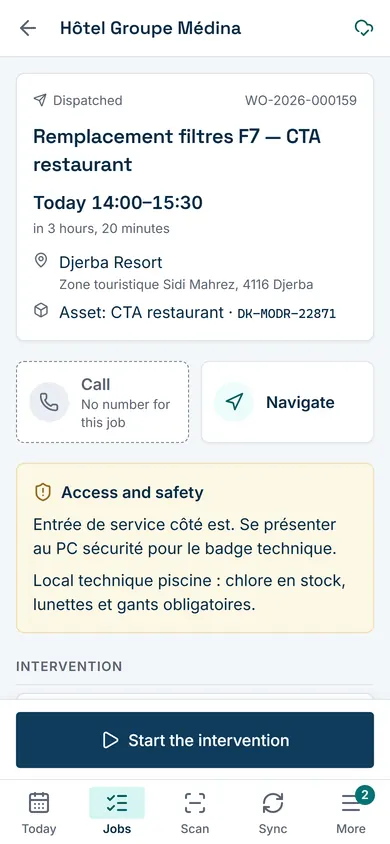
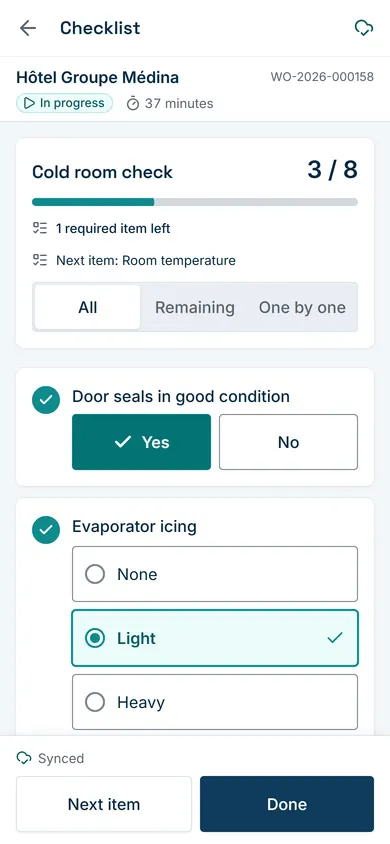
- 05Evidence
Evidence is captured on site.
Checklist, measurements with their thresholds, parts, photos and the customer’s signature, step by step, even without signal.
In progress → Completed
- 06Report
The customer gets a professional report.
The PDF report is generated in the customer’s language, then shared through a secure link or found in their customer area.
Completed → Report available
Intervention report 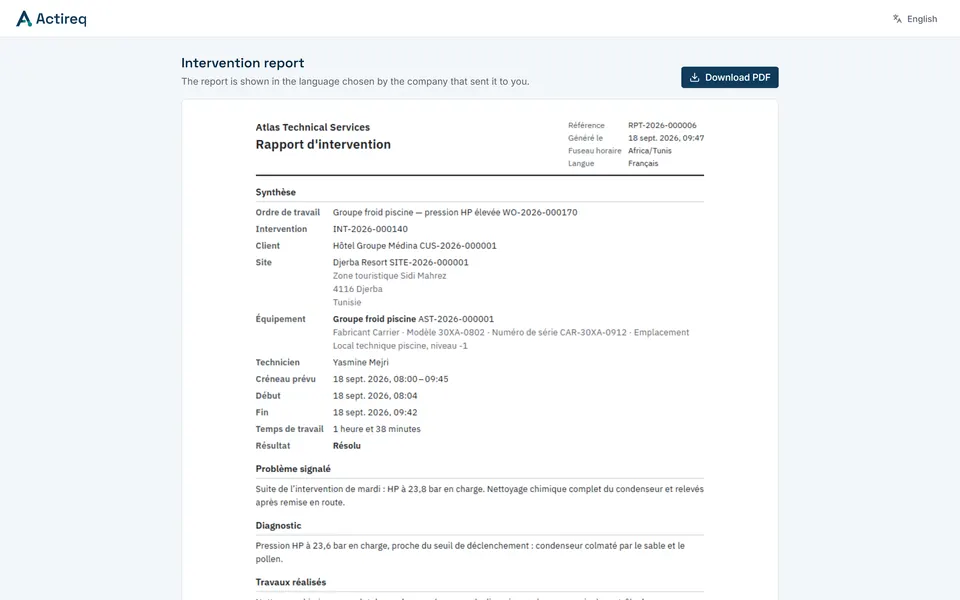
- 07Maintenance
The next visit is already planned.
Maintenance plans generate the upcoming jobs, and the asset’s history grows with every visit.
Report → Next visit
Back office 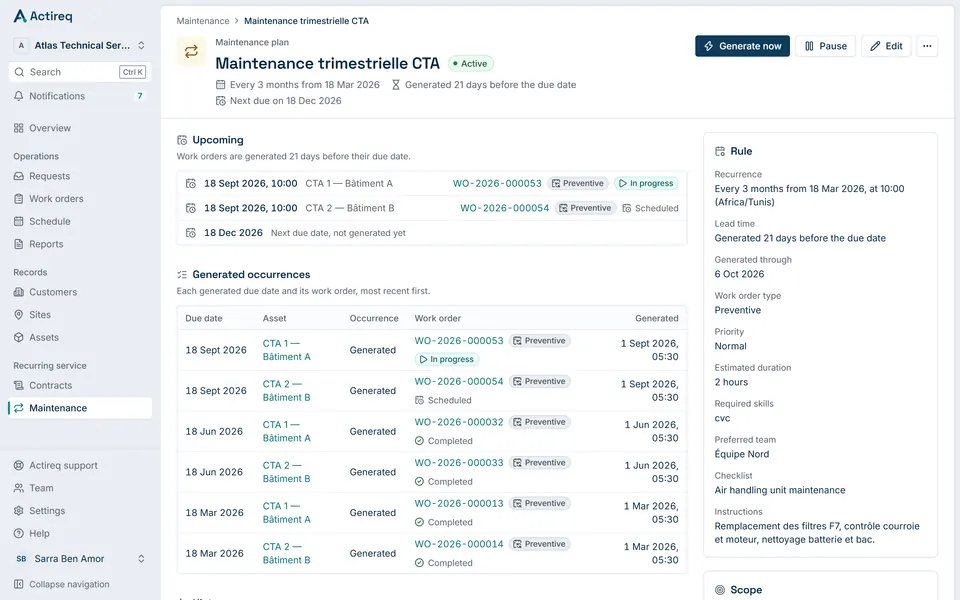


Dispatch & planning
Plan the work. Keep control when the day changes.
A day and week board with a lane per technician, and the work still to schedule right beside it. Drop a job on a lane: the assignment and the time slot are saved together, and conflicts are explained before you confirm.
From the back office
- Requests
- Work orders
- Planning
- Customers and sites
- Assets
- Maintenance
- Contracts
- Reports
Work to schedule
Sorted by urgency: late, customer waiting, urgent, preventive maintenance.
A lane per technician
Everyone’s day, grouped by team, in a day or week view.
Hours and absences
Hours outside the working day are shaded on every lane; an absence reduces the day’s capacity and blocks any scheduling in its slot.
The day’s load
Scheduled minutes against each technician’s capacity.
Conflicts explained
Overlaps, missing skills, a closed site, out of zone: flagged before you confirm. Only an absence blocks.
Reassignment
From one lane to another in one move, several technicians per job, one lead.
The dispatcher decides. Actireq never schedules on its own.
When the plan changes
The field knows.
Assignment, rescheduling, cancellation: the technician gets a notification on their phone and finds the job up to date when they open it. The notification accompanies what is recorded in the app; it never replaces it.
The dispatcher moves the job on the board.
Actireq records the change and notifies the technician.
The technician opens the job, already up to date.
Web push on supporting browsers, once the technician has allowed it. The same information stays in the app and by email.

Actireq
Intervention rescheduled: WO-2026-000160
The intervention for work order WO-2026-000160 (Pompe de filtration piscine — contrôle) is now scheduled at site Djerba Resort on 18 Sept 2026 at 16:00.
Field app
Built for the person doing the work.
An app installed on the phone, designed for one hand and sometimes gloves: large touch targets, actions at the bottom of the screen, numbered steps from arrival to signature.
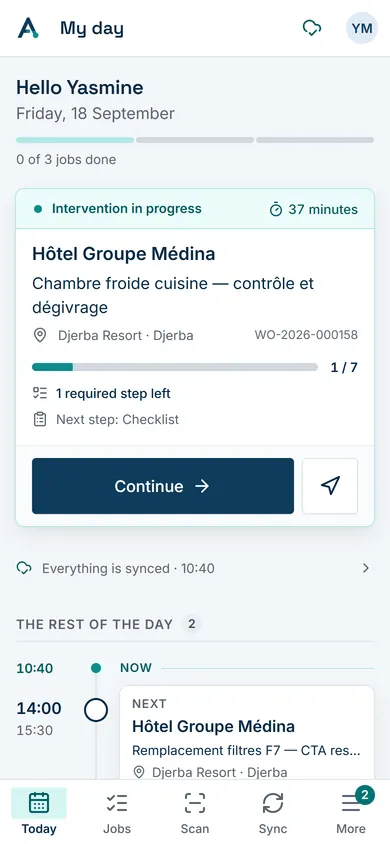
01My day
The job in progress or the next one, then the rest of the day.
02The job
Address, access instructions, contact, asset and documents.
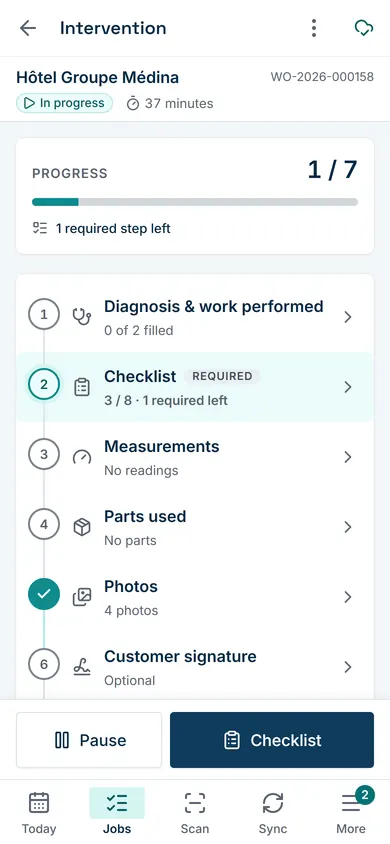
03The steps
The job’s progress and the step the completion still needs.
04Checklist
One question per screen when the list is long.
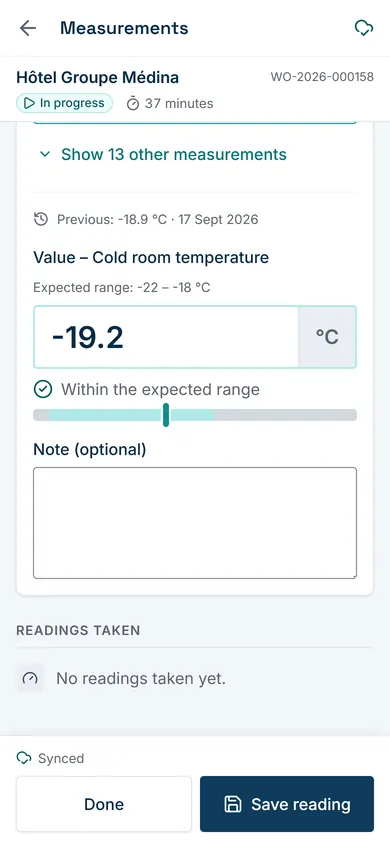
05Measurements
Expected range shown, previous reading recalled.
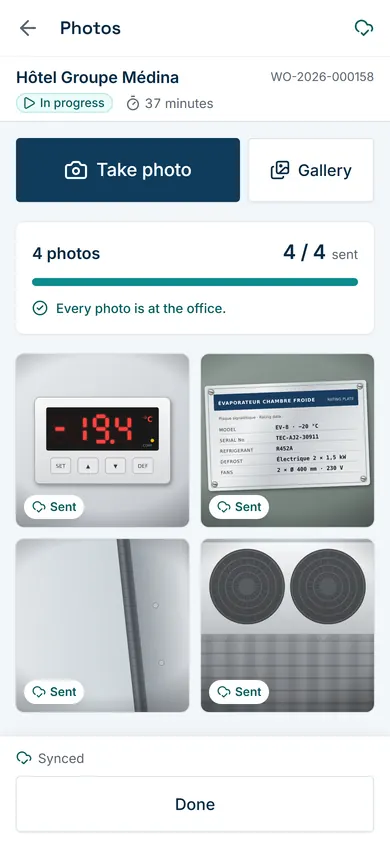
06Photos
Taken on site, resized, without location data.
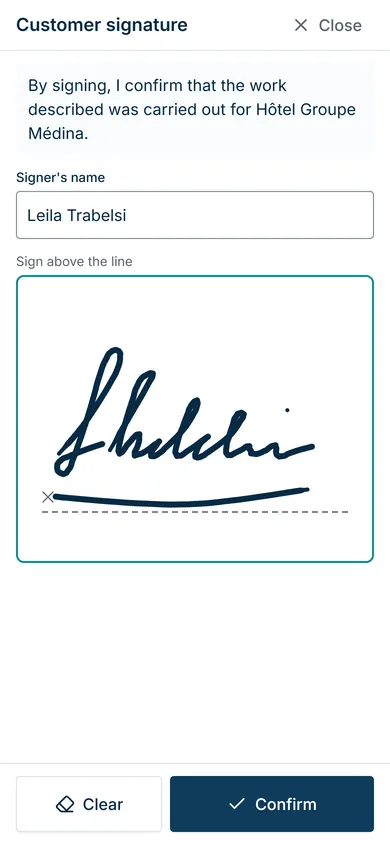
07Signature
The customer signs on the screen at the end of the job.


- Scan an asset’s QR code to open its record, even offline.
- French, Arabic or English, as each technician prefers.
- Installed from the browser, no app store needed.
Offline
No signal? Keep working.
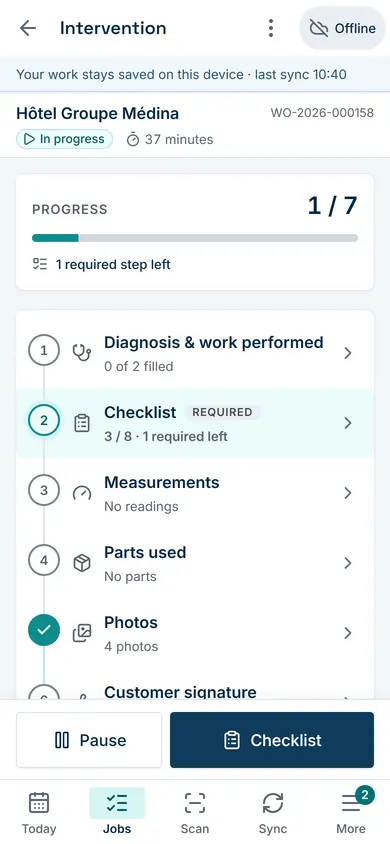
A basement, a plant room, a remote site: the technician fills in the checklist, records measurements, takes photos and gets the customer’s signature. Everything is kept on the device and sent as soon as the connection returns.
- Connected
The next days’ jobs are already on the phone.
- Offline
Checklist, measurements, photos, signature and completion are saved on the device.
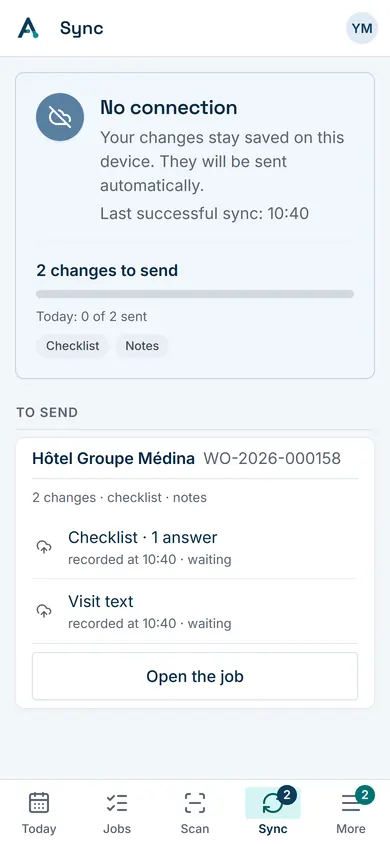
- Waiting to send
Changes wait on the device, in order, and leave as soon as the connection returns.
- Synced
Back online, each change is applied once. If the office changed the same job, the technician sees the difference and decides: nothing is silently overwritten.
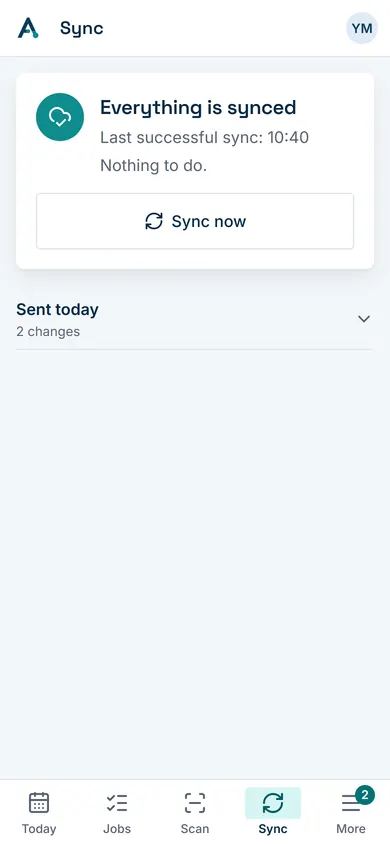


The sync state is visible at all times, in its own tab.
Assets
Every job builds the asset history.
An asset is more than a label. In Actireq it has its own record: its site, its contract, its jobs, its measurements over time, its documents and its next maintenance.
Asset
- QR codeScanned in the field, even offline
- JobsEvery visit, with its report
- MeasurementsReadings compared over time
- DocumentsManuals, drawings, certificates
- MaintenancePlans and upcoming due dates
- ContractCoverage and service level


Proof of service
Every job ends with evidence.
What the technician records on site becomes a professional report: checklist, measurements and their ranges, parts, photos, signature, time spent and outcome. As a PDF, in the customer’s language.
- Checklist
- Measurements
- Parts
- Photos
- Signature
Intervention report
- Less chasing
- Clear traceability
- Proof for the customer
The report is generated from the work order, then shared through a secure, time-limited link or found in the customer area.

Customer portal
Give customers visibility without giving them your back office.
Each customer has their own space, limited to their sites and assets. They submit requests, follow their progress and find their visits, maintenance and reports.
- The customer submits a request.
- Your team receives and qualifies it.
- Dispatch schedules the job.
- The customer follows the progress.
- The report arrives in their space.


Internal notes, service levels and billing data stay invisible to the customer.
Preventive maintenance
Move from reactive work to controlled maintenance.
Contracts, maintenance plans, due dates: Actireq generates the upcoming jobs ahead of time, once per asset and due date, and puts them in the list to schedule.
- ContractCovered sites and assets, service level.
- Maintenance planMonthly, quarterly, every six months, yearly or every N days.
- Generated jobsCreated ahead of time, with their checklist and skills.
- HistoryEvery visit adds to the asset’s record.

Industries
One operational core. Built to fit the work.
Actireq does not come in one version per industry. Each company configures its checklists, its measurements and their thresholds, its asset categories and its custom fields, on the same product.
See the industriesFor every role
One system. Four points of view.
For dispatchers
Plan and react.
The work to schedule, the board and the conflicts, on one screen.
For technicians
Execute without friction.
My day, the job guided step by step, and offline work.
For customers
See what is happening.
Requests, visits, maintenance and reports in their own space.
For managers
Keep operational visibility.
Attention points, service levels and the audit trail.
Everyone works on the same data: one work order, one version.
Local and international
French, Arabic, English. Designed, not translated.
Arabic is a true right-to-left layout, with references, serial numbers and codes that stay readable. Reports, emails and notifications follow each person’s language.
- Back office, field app and customer portal in all three languages
- PDF reports in French, Arabic or English
- Country, currency and time zone per organization, time zone per site
- Built in Tunisia, designed to work beyond it

Security and trust
Designed for operational data, not consumer-grade shortcuts.
Your customers, assets and reports are isolated per organization, protected by role and traced.
- Tenant isolationEvery request is checked and scoped to your organization.
- Roles and permissionsOwner, administrator, dispatcher, technician and other roles, with detailed permissions.
- OpenID ConnectSign-in through an identity provider; tokens never leave the server.
- Protected sessionsHttpOnly, secure cookies, CSRF protection, automatic expiry.
- Audit trailEvery action is recorded with its author, in the same transaction.
- Controlled documentsDownloads through signed, short-lived links; report links you can revoke.
- Reliable operationsAn action sent twice applies once; background work is recorded with the action, then run and retried when needed.
- Encrypted transportHTTPS everywhere, with HSTS.
What changes
What changes for your business.
- Less dispatch friction
- Less context lost between office and field
- Less time spent writing reports
- Clear service traceability
- An asset history that builds itself, job after job
- Customers who can see where their request stands
- Growth without proportional back-office chaos
Ready to turn requests into action?
See how Actireq fits your operations, on your own cases.